Connect your gmail account to Klarifi Campaigns
This quick guide shows how to connect your Gmail account to Klarifi Campaigns using SMTP with a secure Google App Password. You’ll turn on 2‑Step Verification, generate an app password, and enter the correct server settings to send email reliably from campaign.klarifi.io.
Enable 2‑Step Verification (required)
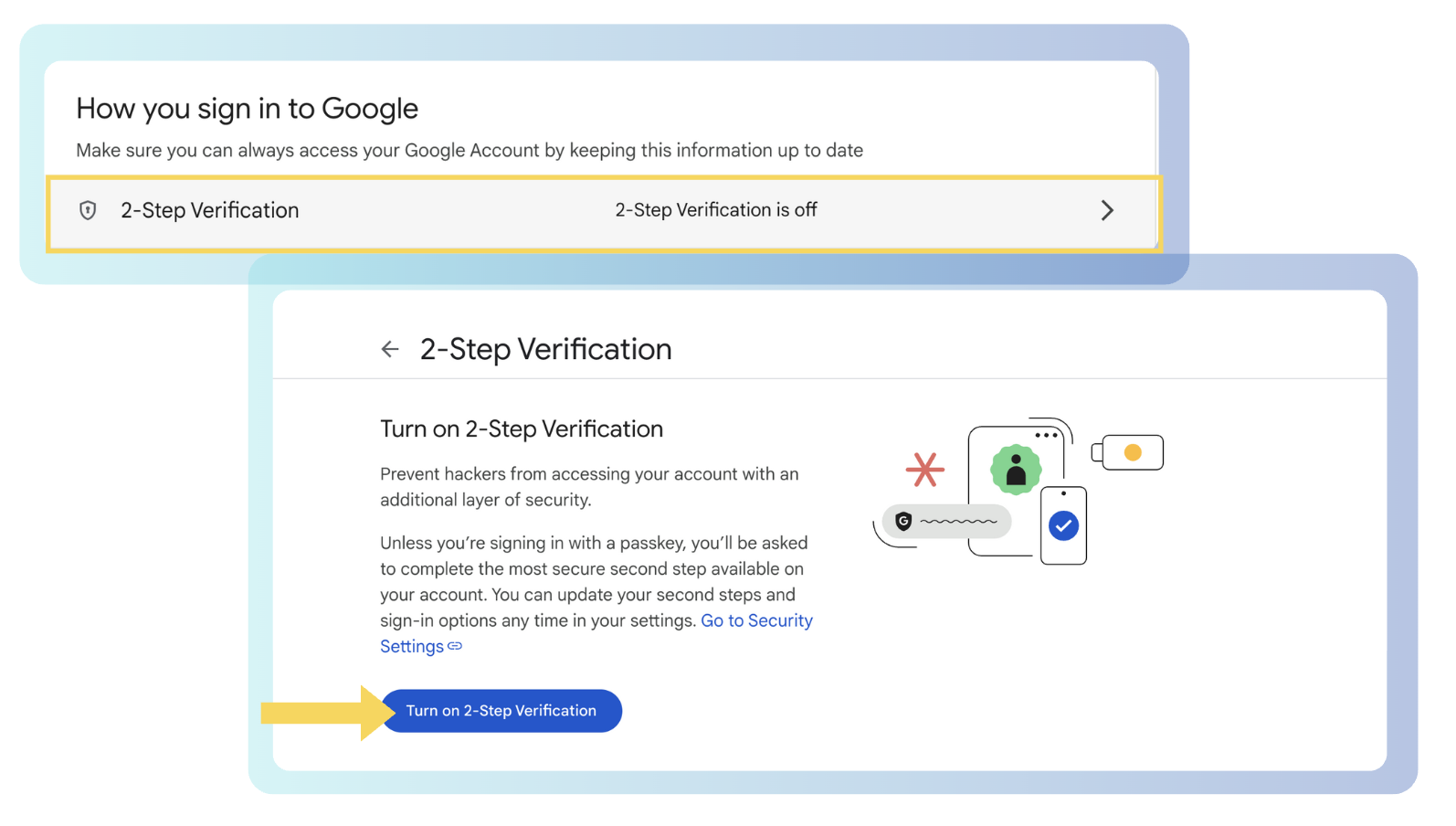
App Passwords are only available when 2‑Step Verification is enabled on your Google account. Turn it on first:
Go to your Google Account security page: myaccount.google.com/security
Under "How you sign in to Google", open 2‑Step Verification, and complete the setup and stay on the page.
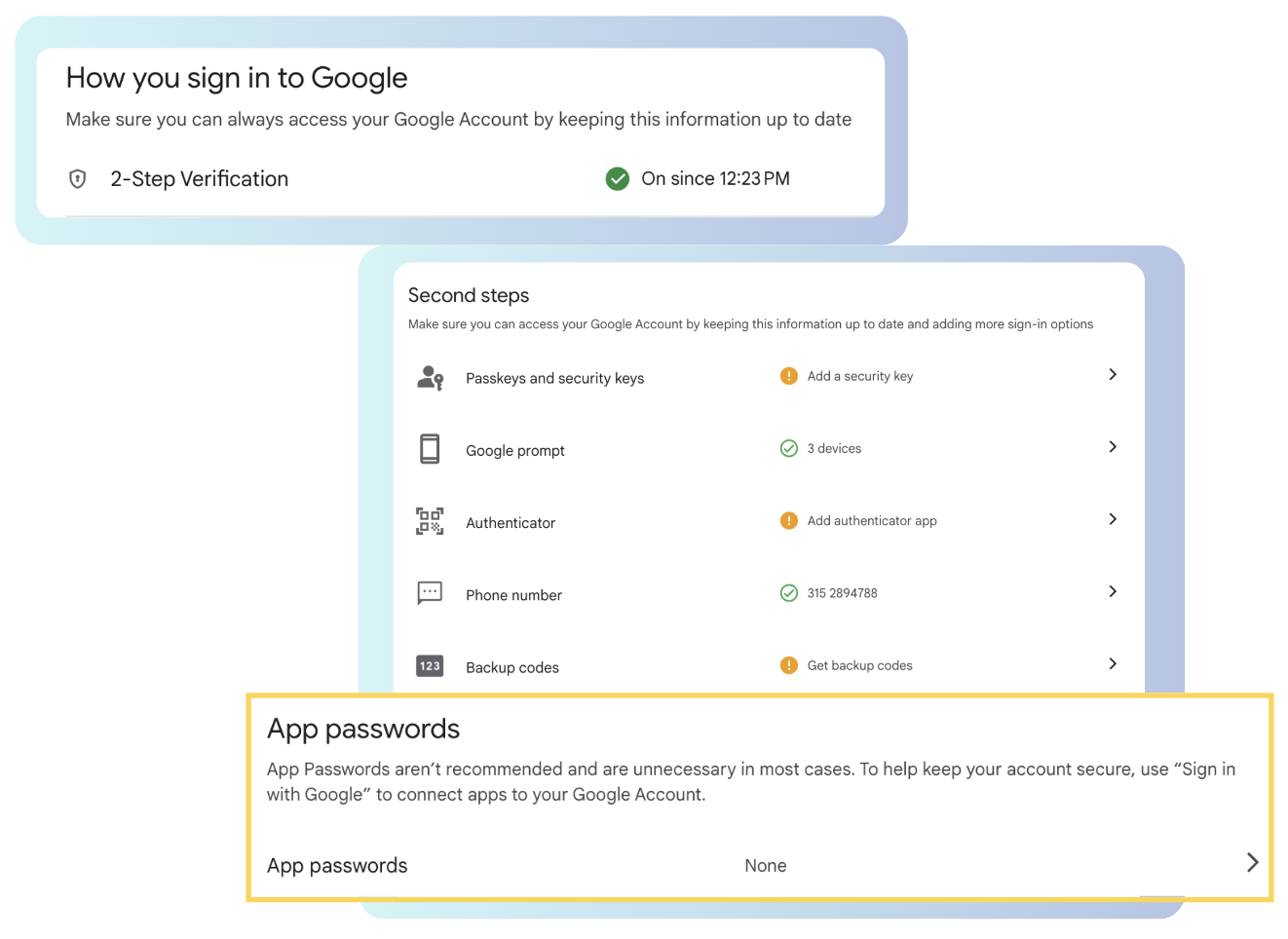
Once enabled, you’ll see an option for App passwords.
Create a Gmail App Password
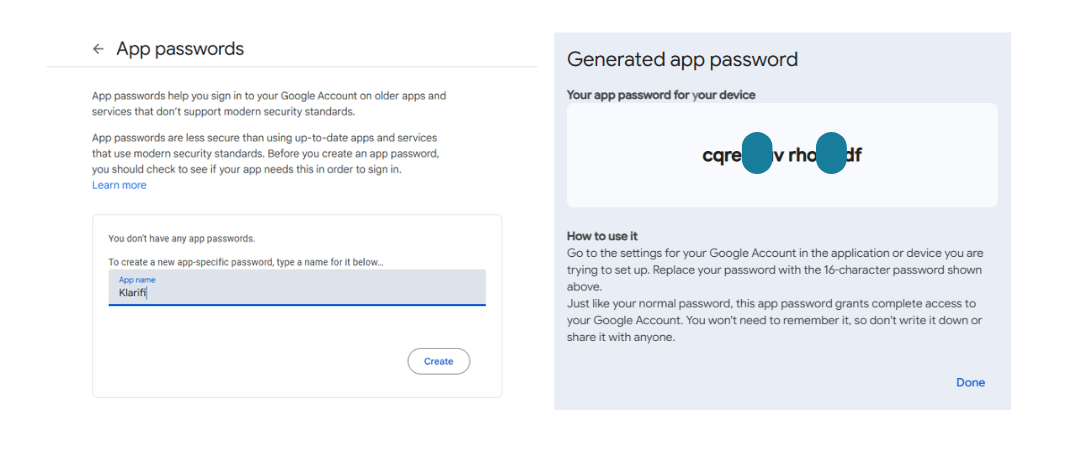
- In the 2‑Step Verification page, click App passwords.
- Create a new app-specific password by typing a name for it below (e.g. "Klarifi")
- Click Create, then copy the 16‑character password (no spaces!). Keep it safe—you’ll paste it into your SMTP settings. When you copy the password, it may include spaces — make sure to remove them.
Add your SMTP settings
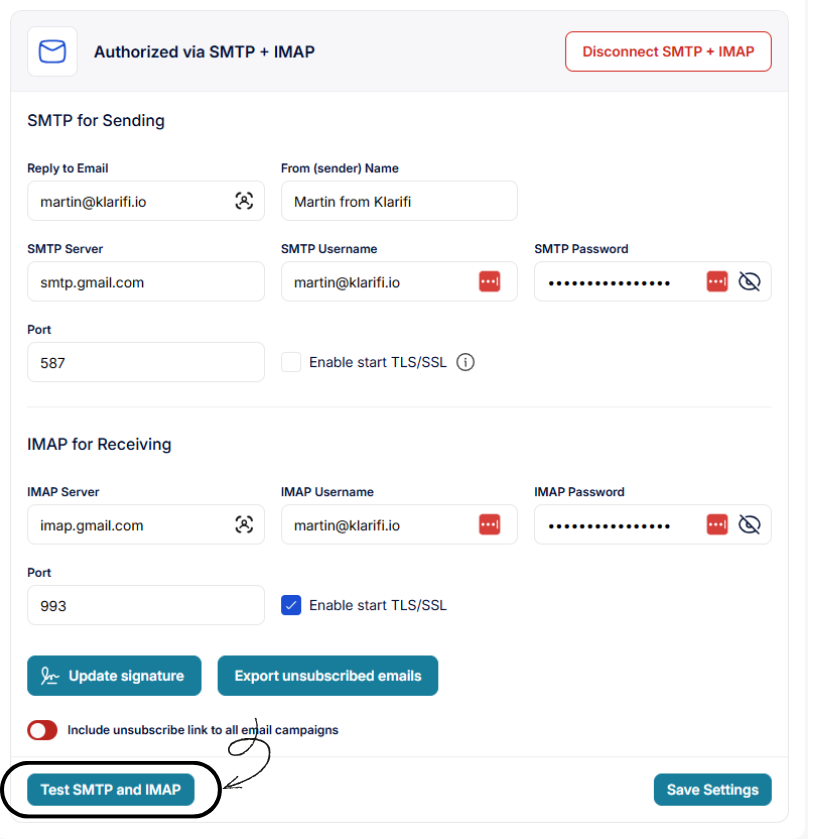
Use the following values when configuring your email sender in campaign.klarifi.io:
| Field | Gmail value | Notes |
|---|---|---|
| SMTP Server | smtp.gmail.com | Gmail SMTP host |
| SMTP Username | Your full email address | Example: martin@klarifi.io |
| SMTP Password | Your 16‑character app password | Not your normal Google password |
| Port | 587 (TLS) or 465 (SSL) | Match your provider’s security mode. Most have to use 587. |
| Enable start TLS/SSL | Disabled | Required for secure delivery |
IMAP settings
As of January 2025, Google has IMAP turned on by default and no longer exposes a toggle in account settings. If you need to manually reference the values:
| Field | Gmail value | |
|---|---|---|
| IMAP Server | imap.gmail.com | |
| IMAP Username | Your full email address | |
| IMAP Password | Same 16‑character app password without spaces | |
| IMAP Port | 993 (SSL) | |
| Enable start TLS/SSL | Enabled | Required for secure delivery |
Test and save your settings
After entering the values, you can test if everything works by pressing the "Test SMTP and IMAP" button. After a successful test, press the "Save Settings" button to store your SMTP and IMAP configuration.
Troubleshooting tips
- Verify 2‑Step Verification is enabled for the Google account.
- Confirm you’re using the 16‑character App Password (not your normal password).
- Try generating a new App Password if tests fail repeatedly.
- Temporarily disable any outbound firewall rules that may block SMTP ports 465/587.
- Check your sending app’s from/reply‑to address matches the authenticated Gmail account.
- Ask the Klarifi support team for help by sending an email to support@klarifi.io
Your one stop shop for wastewater lead generation
for wastewater expertsCity budgets, compliance history, official contacts and more...